This guide explains how to access, create, and manage SmartLinks within the Rebelboost dashboard.
1. Accessing SmartLinks
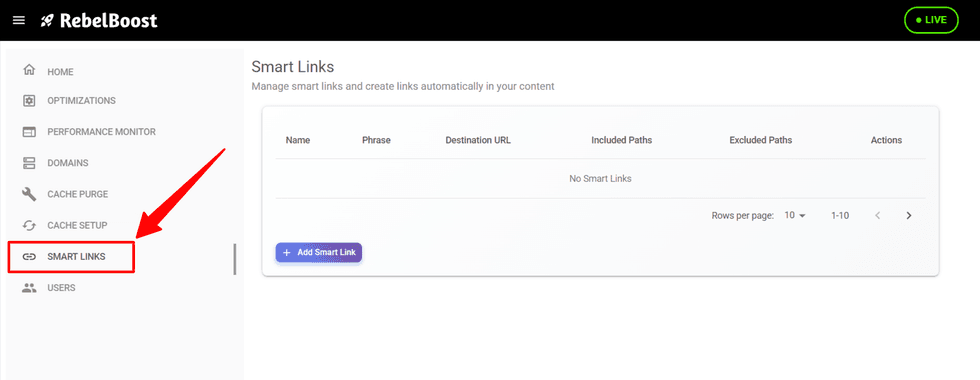
Once you’re logged into Rebelboost, navigate to the SmartLinks tab in the left sidebar of the dashboard.
This is where all SmartLink management takes place.
2. Creating a SmartLink
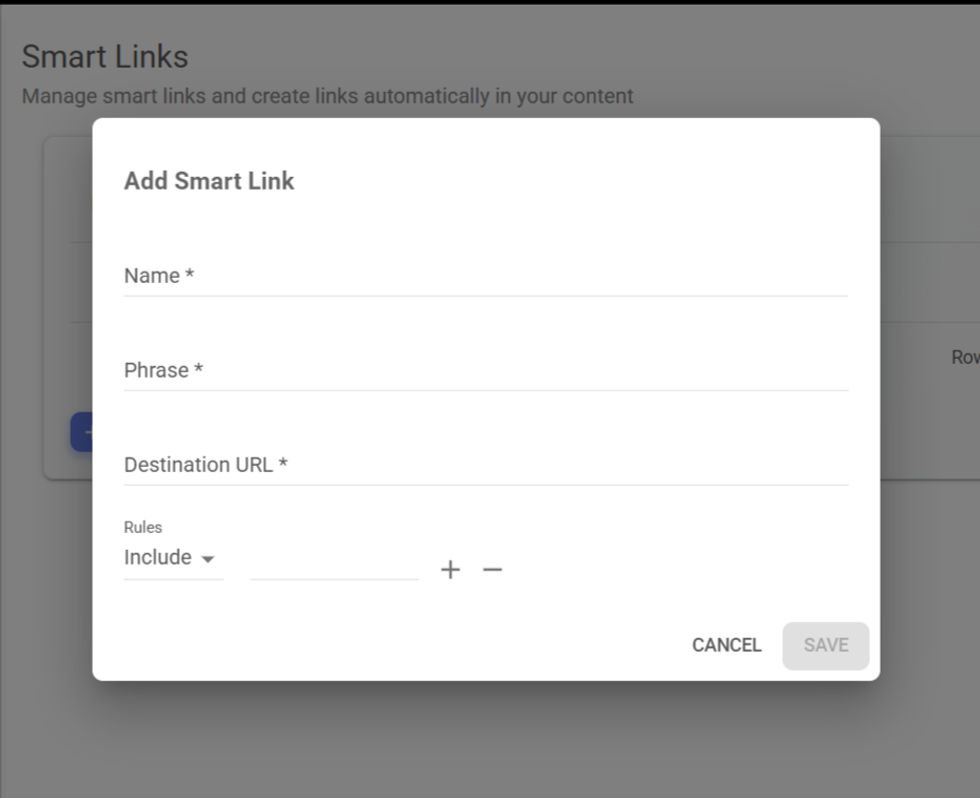
Inside the SmartLinks section, you can create new SmartLinks for any keyword.
To create one:
- Click on Add Smart Link.
- Give Name to your Smart Link
- Enter the keyword/Phrase you want to target.
- Add the paths (Destination URL paths) where the SmartLink should appear.
- Rules is an optional field that lets you include or exclude articles from specific sections when applying SmartLinks.
You can easily manage these rules, click on "+" to add more, or – to remove the ones you no longer need. - Save your changes.
SmartLinks let you control exactly where links will be injected across your site based on the keyword and the paths you configure.
3. Managing and Updating SmartLinks
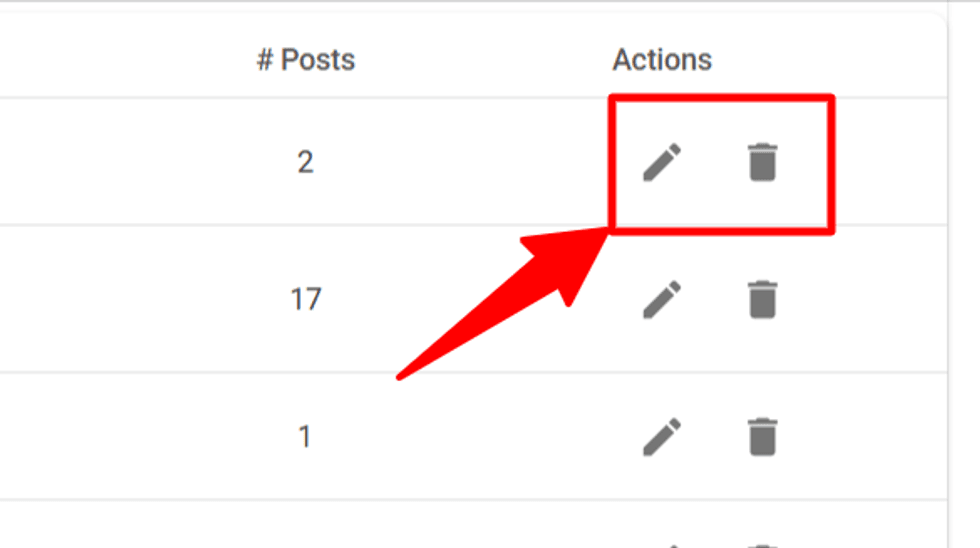
You can edit or remove existing SmartLinks at any time.
However, changes may not appear immediately due to caching layers.
4. Cache and Propagation Delays
Updates to SmartLinks go through two levels of cache:
- Rebelboost cache
- Your own infrastructure’s cache
Because of this, new SmartLinks—or removed SmartLinks—may take some time to fully update.
If needed, you can force an update for a specific path using the Cache Purge tab in the Rebelboost dashboard.
Even after purging, a short delay on your end is still possible.
5. Additional Documentation and Best Practices
SmartLinks in Rebelboost is a streamlined version of the SmartLinks feature available in the RebelMouse CMS. While the RebelMouse CMS offers deeper editorial integrations, the Rebelboost version is designed to deliver the core benefits — improving internal linking, strengthening SEO signals, and driving recirculation — in a way that’s lightweight and easy to manage.
Because Rebelboost isn’t your CMS, some of the advanced workflow features aren’t included, but the strategic principles and best practices are essentially the same.
To dive deeper into how to get the most out of SmartLinks, you can reference the original RebelMouse SmartLinks article.
This article helps you understand:
- Why SmartLinks matter for SEO, crawl depth, and overall content visibility
- How internal linking supports stronger Google Search performance
- Best practices for keyword selection and ongoing optimization
- What makes a SmartLink effective (relevance, popularity, link equity, trending topics)
- How to identify and choose strong destination URLs
- How to proactively maintain a healthy SmartLinks strategy over time
- Common questions about propagation, overrides, external links, cross-site linking, and performance impact