Principal Schema
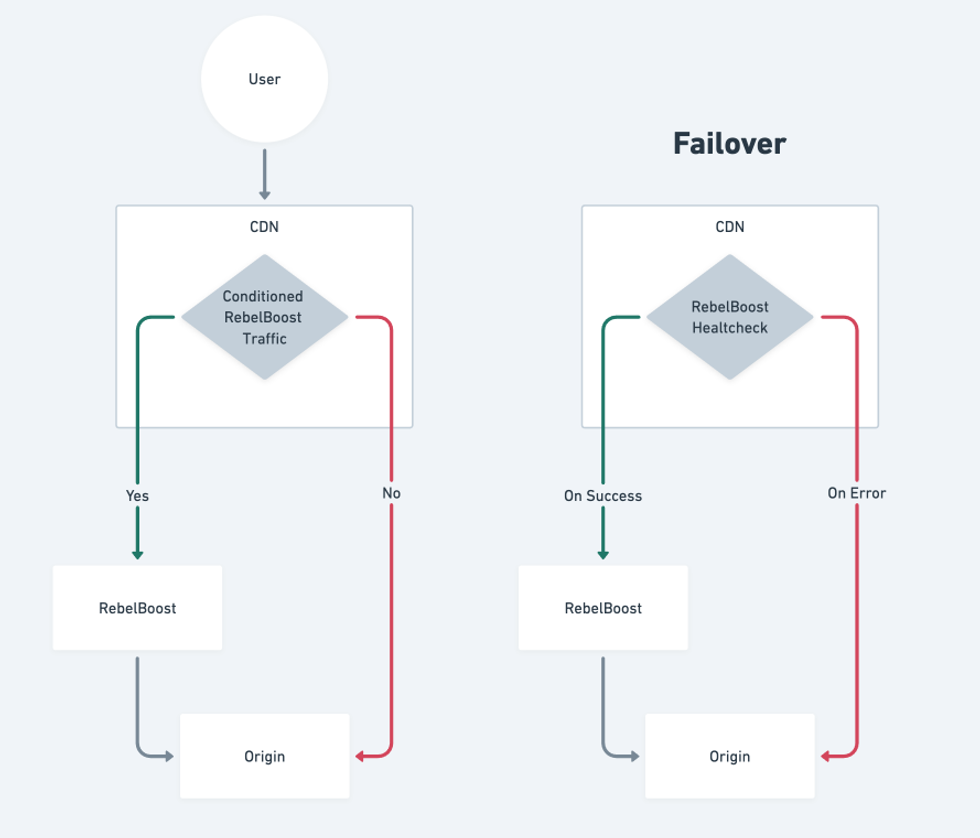
How to configure RebelBoost
CDN configuration based on Fastly CDN
1. Go to Origins -> Hosts
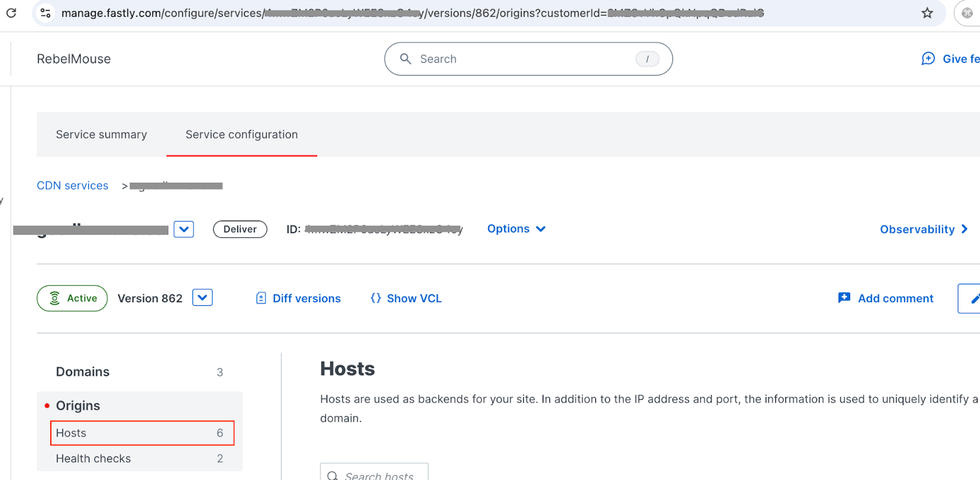
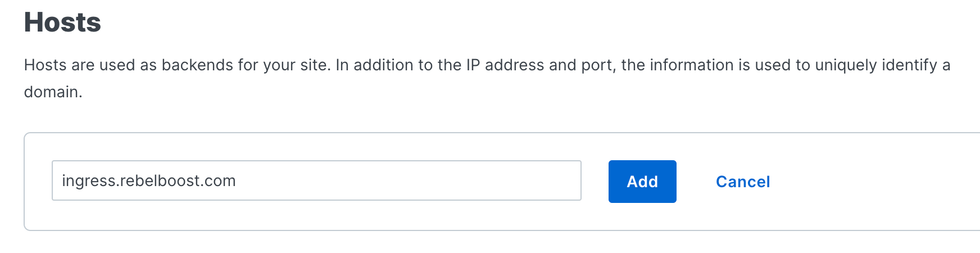
Add origin ingress.rebelboost.com
Edit the new host to set an informative name.
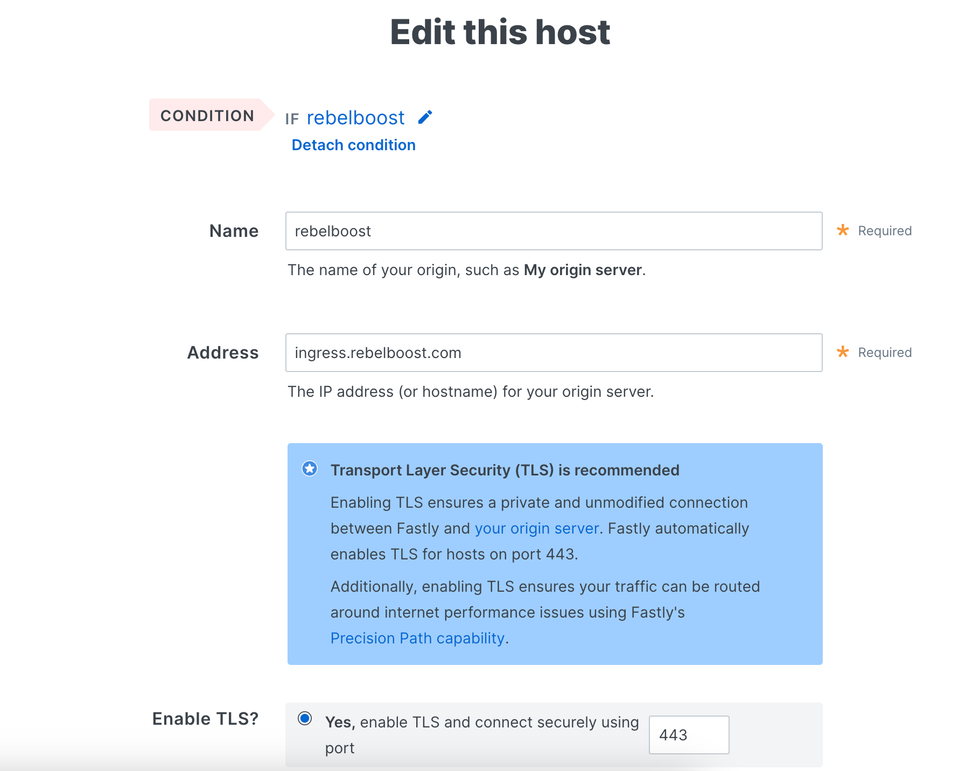
Set Override host ingress.rebelboost.com. Leave default values in other fields. Click 'Update' to save the changes.
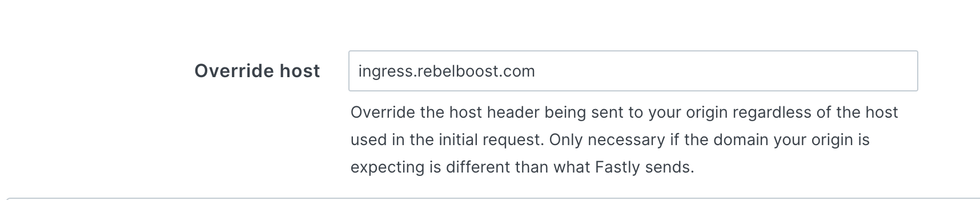
3. Create a request condition to point traffic to RebelBoost
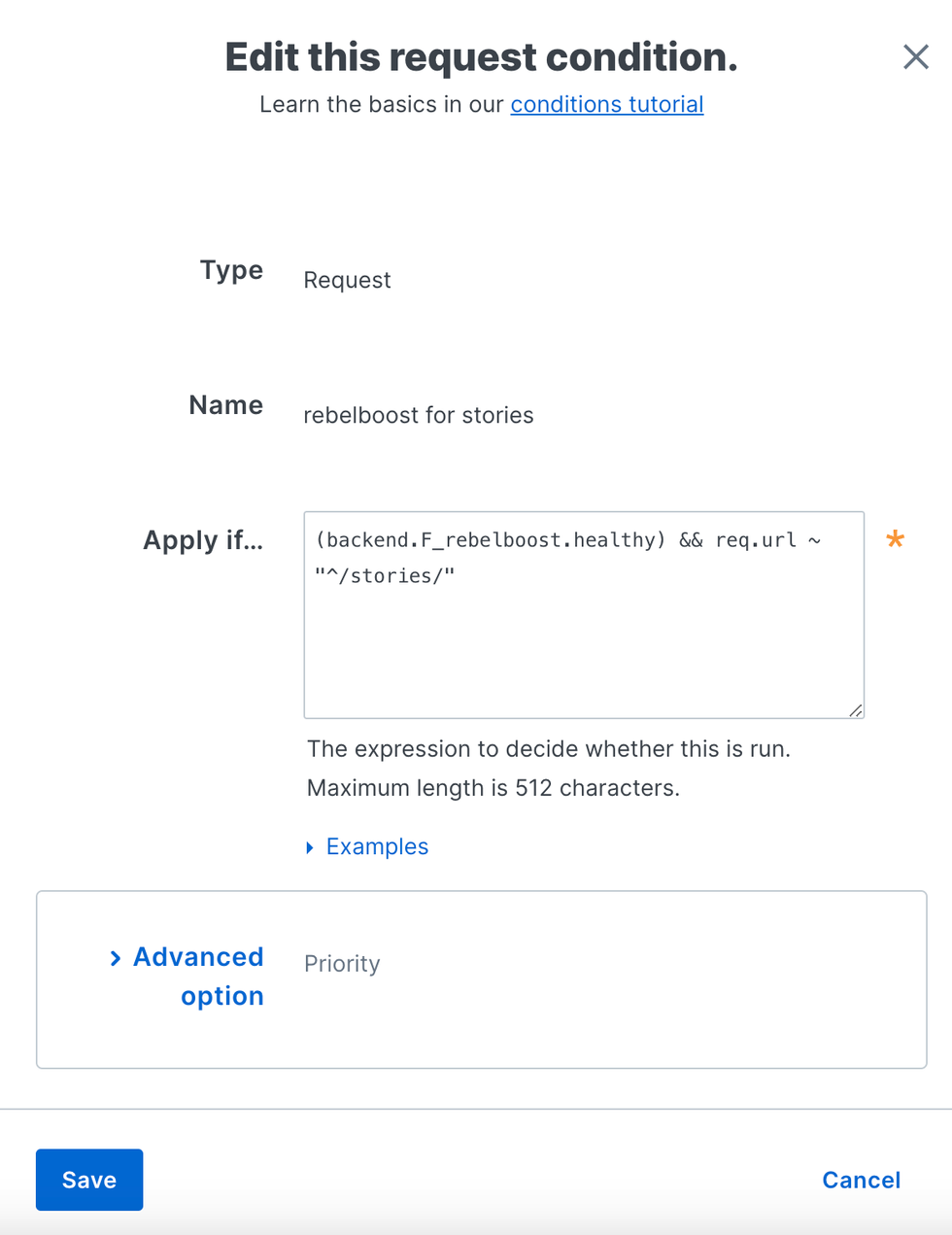
Click 'Attach a condition' on the created host. Then click 'Create a new request condition'. Insert desired conditions for activation of Rebelboost based on the following example:
req.url ~ "^/stories/"Then click 'Save and apply ...'

4. Configure CDN failover
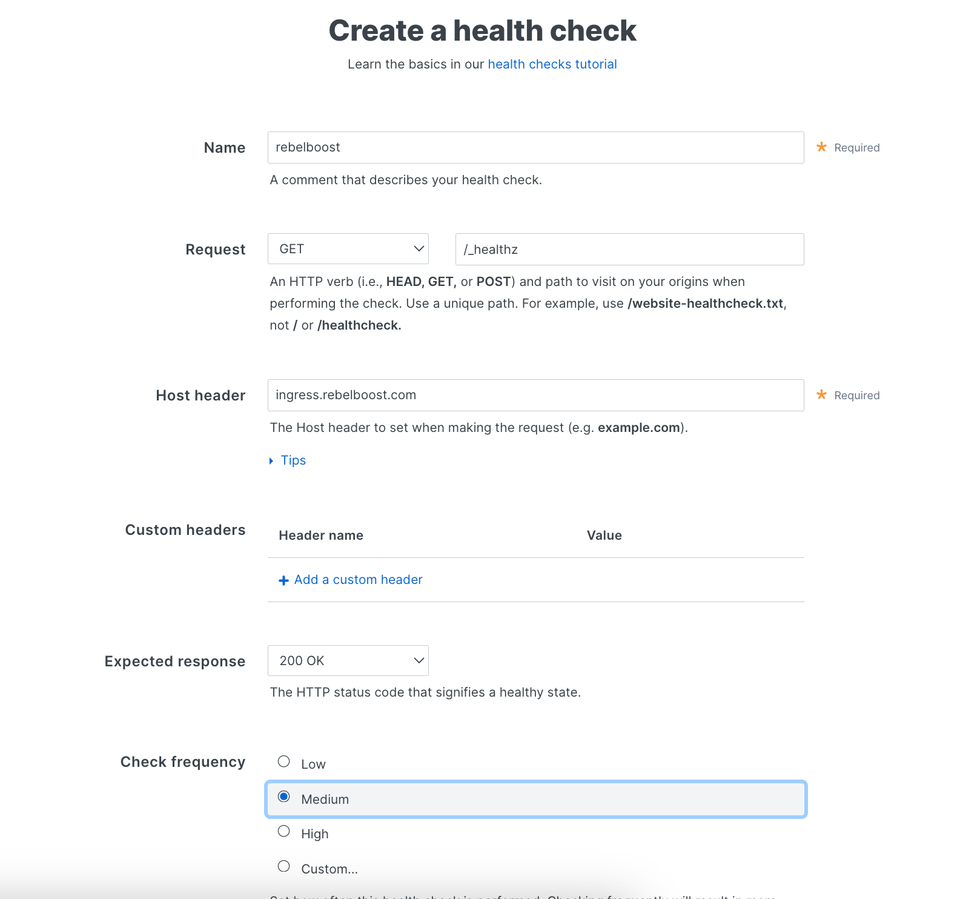
4.1 Create a health check
'Create health check' button can be found at the bottom of Hosts page.
The path is
/_healthz
4.2. Add the health check into the request conditional rule
4.3 Attach the healthcheck to the host

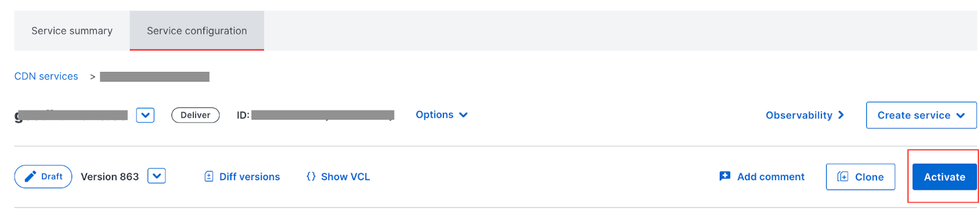
5. Activate the new version of your service
Done